3.18. Updates
3.18.1. ASGARD Updates
ASGARD checks for ASGARD updates daily. Available
updates are shown automatically in the Updates section.
As soon as an ASGARD update is available, the Upgrade from ... to ...
button appears. Click this button to start the update process. The
ASGARD service restarts and the user must log in again. In general, update
Master ASGARD before connected ASGARD systems.
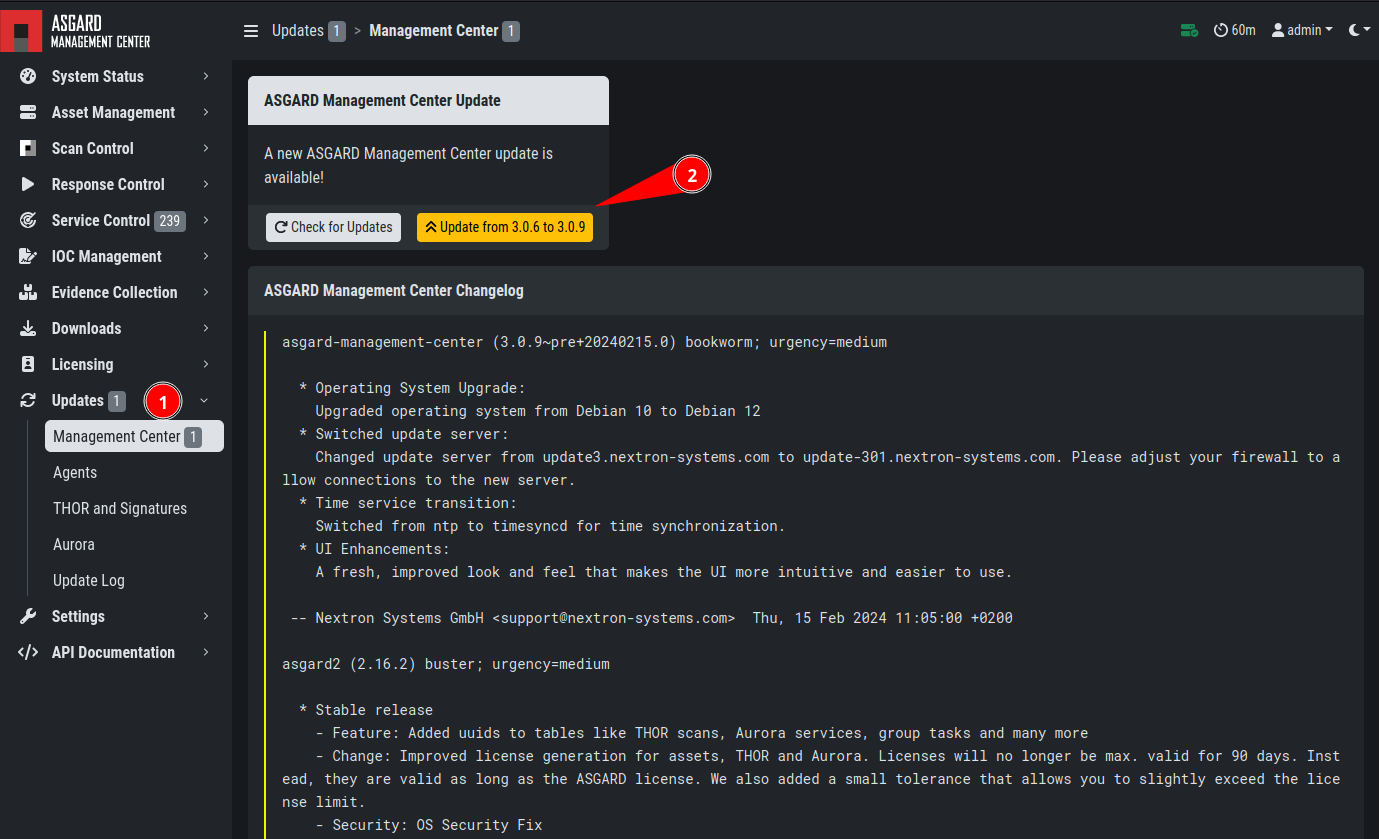
Updating ASGARD
3.18.2. Version Pinning
The Version Pinning section allows you to create constraints
to "pin" a specific version of THOR, Aurora, or any signatures.
This allows you to stay on specific major or minor versions
of our products.
By default, ASGARD will search for signature updates every hour and for THOR/Aurora updates every day. You can change the update interval if needed, though the default values are usually sufficient for most cases.
To manually check whether a new update is available, click
Check for Updates. This does not download new versions. It only checks
whether new versions are available according to your pinning constraints.
If new updates are available, you can manually download them via the
Update Products Now button.
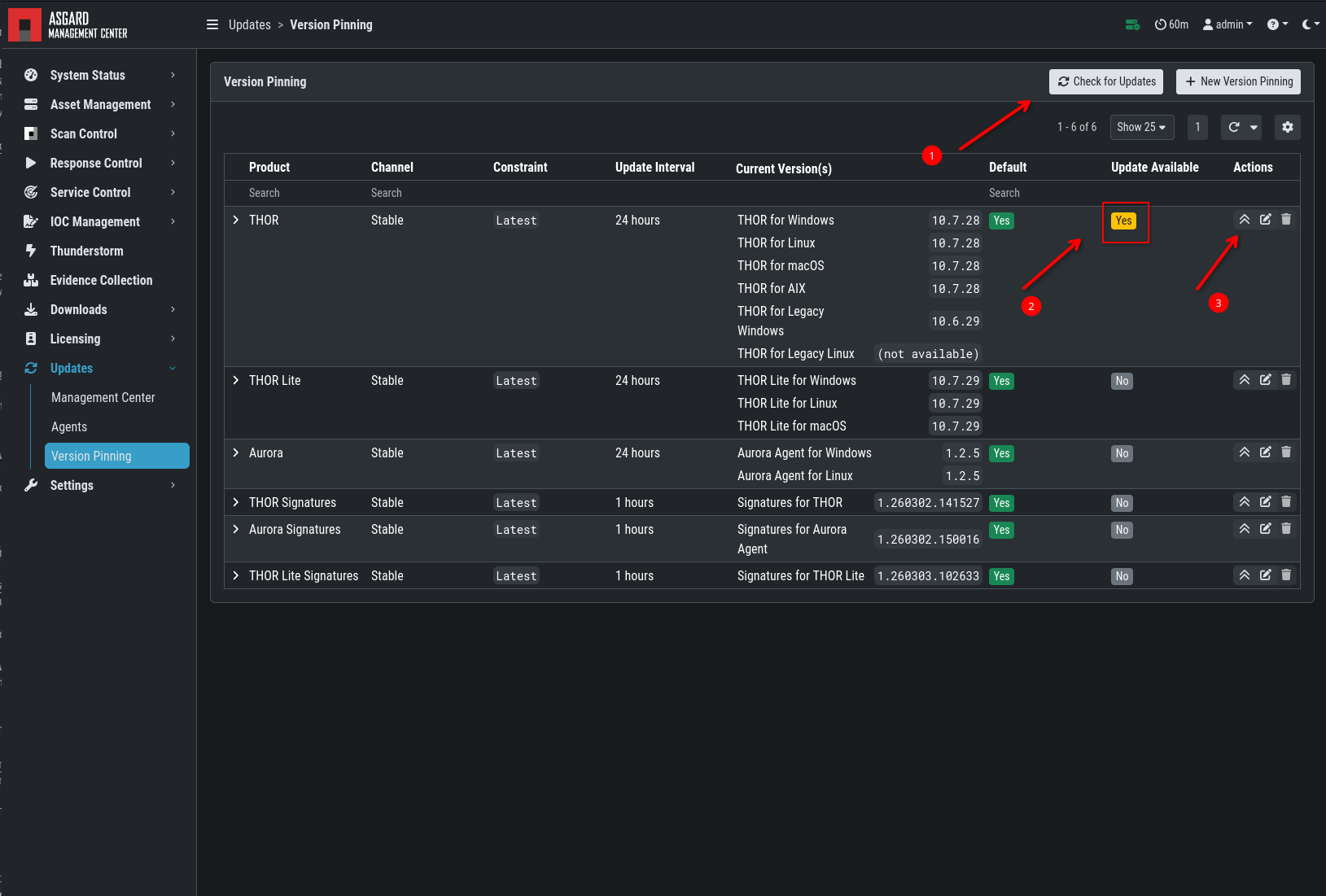
Version Pinning
Setting a new version pinning configuration is straightforward:
Select your Product
Select the Channel
Select a Constraint
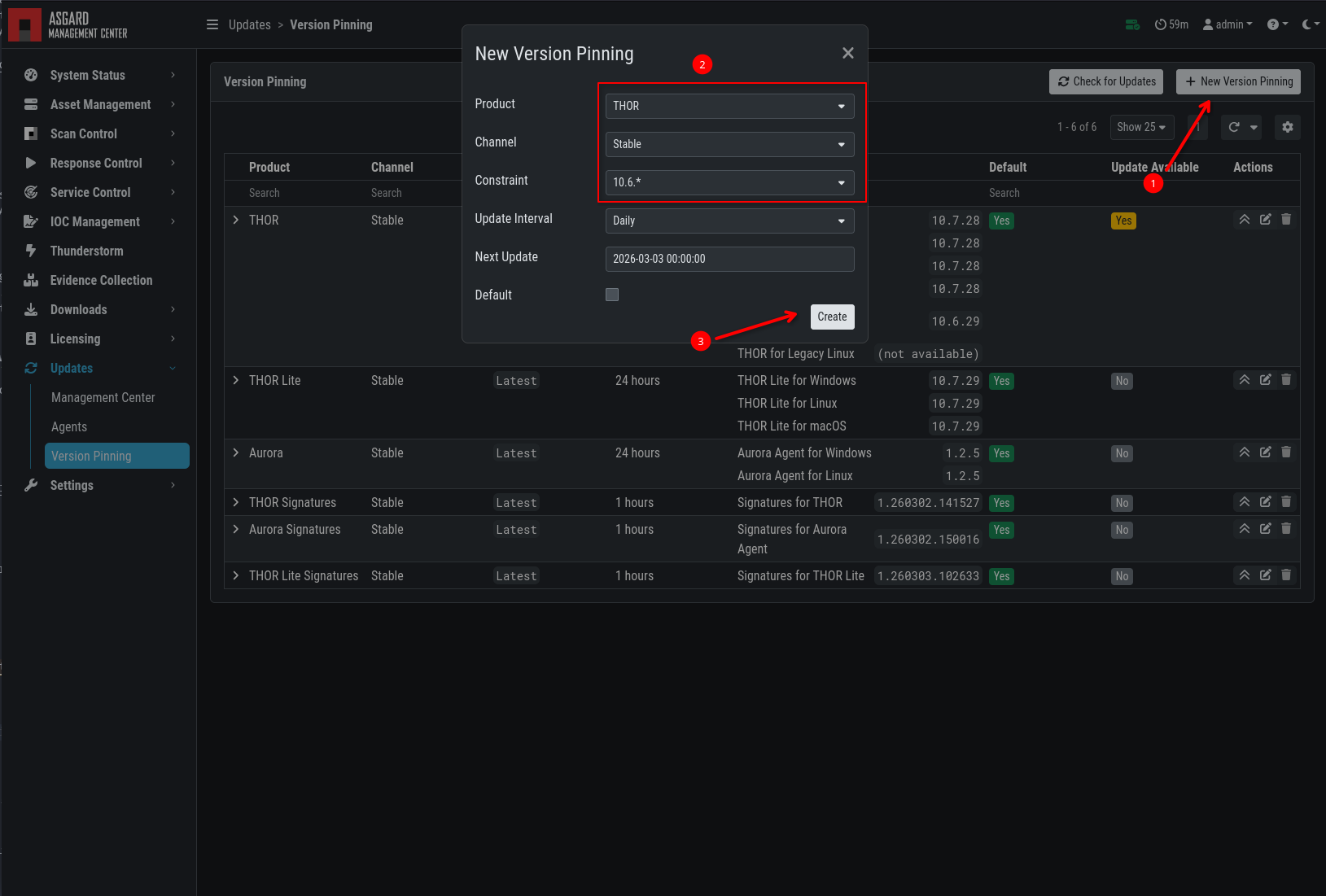
Version Constraint
3.18.3. Agent Updates
If an asset or an agent can be updated, a notice is
shown in the Updates > Agents tab.
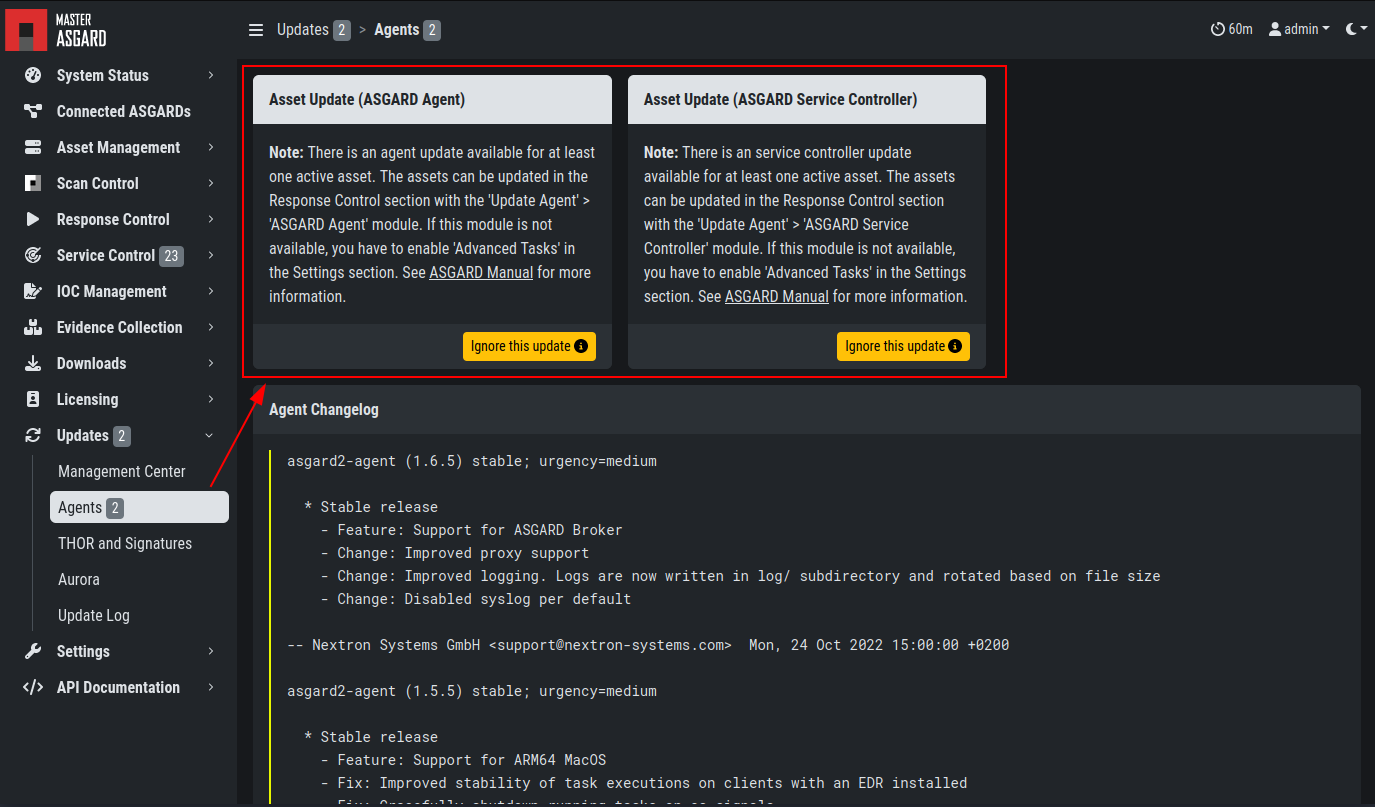
Update Agent