3.1. System Status
3.1.1. Status Overview
The initial system status page provides a summary of the most important system components.
It also includes the current resource consumption (disk, CPU and memory) and lists the currently installed Management Center software version, along with available versions of THOR. It also shows the connection status to the update servers, Master ASGARD, and Cockpit, as well as graphs for asset connections and asset streams.
Note
The THOR version numbers may be missing in a new installation. THOR is not included in the installed packages and has to be downloaded first. The download starts automatically after the installation and no later than one hour after installation.
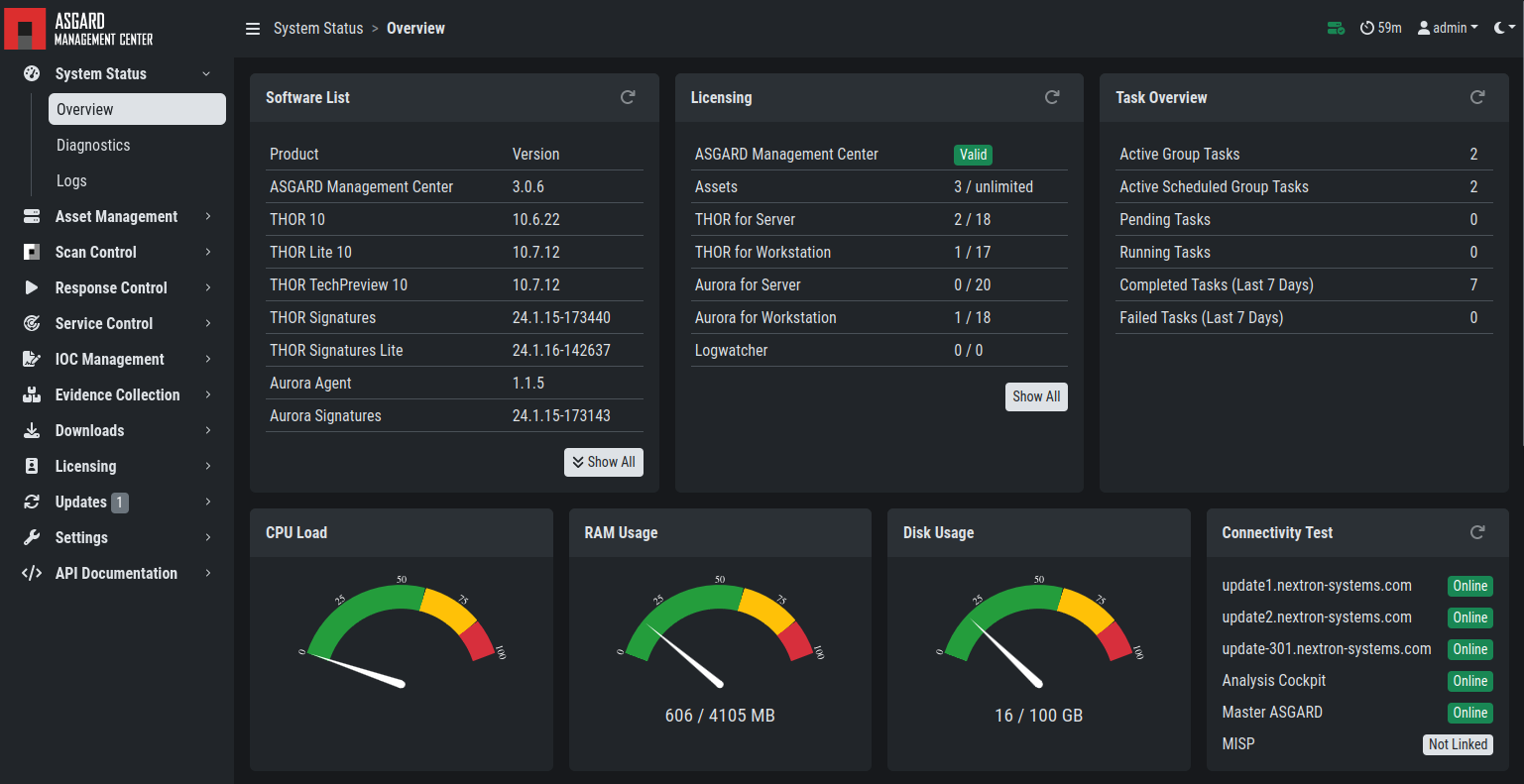
Overview Top Half
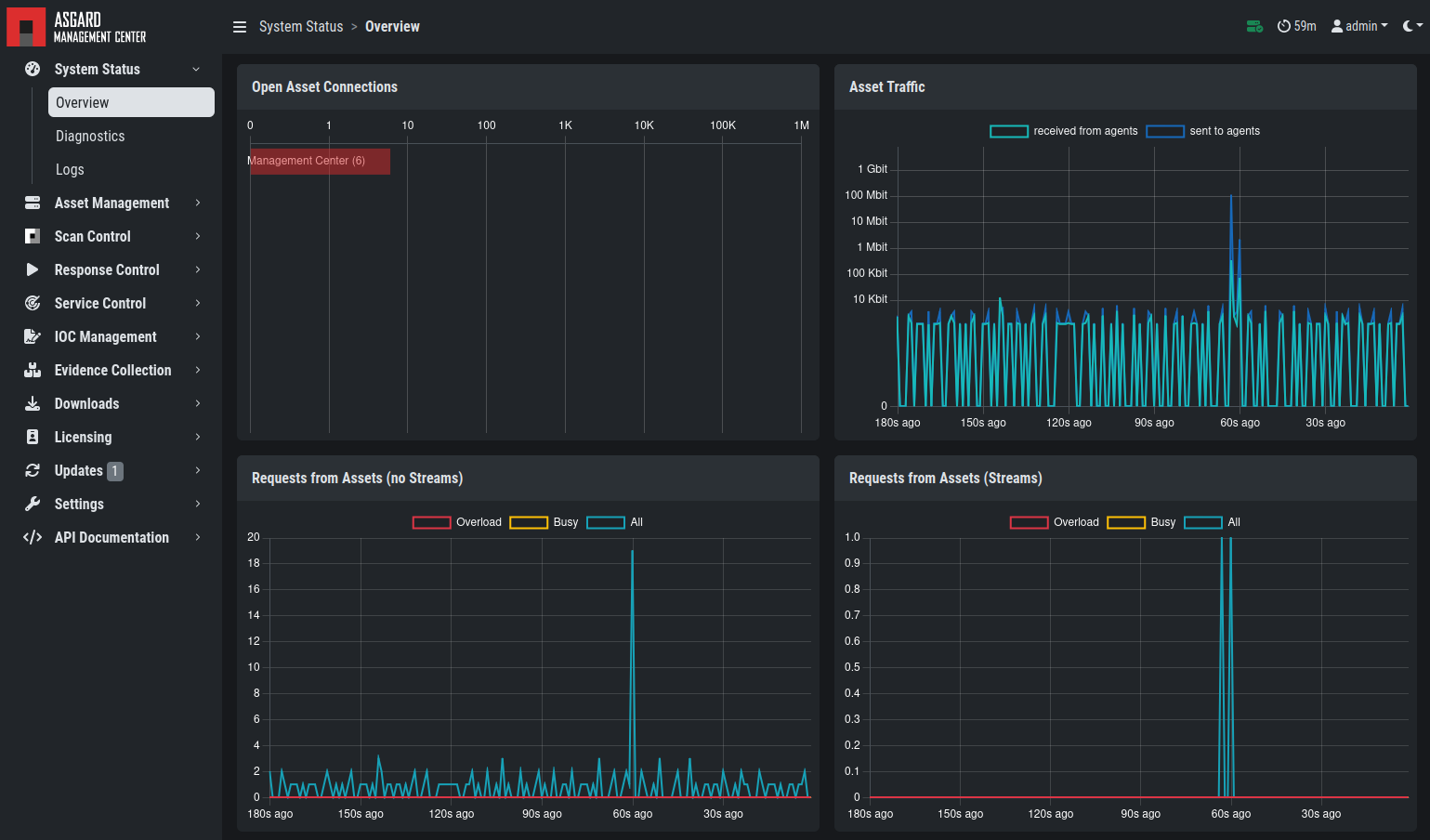
Overview Bottom Half
3.1.2. Diagnostics
The diagnostics submenu shows periodic checks and their status. Click the magnifying glass icon to view details for a check. If a check failed, the details show an error message and guidance on steps that typically help resolve the issue.
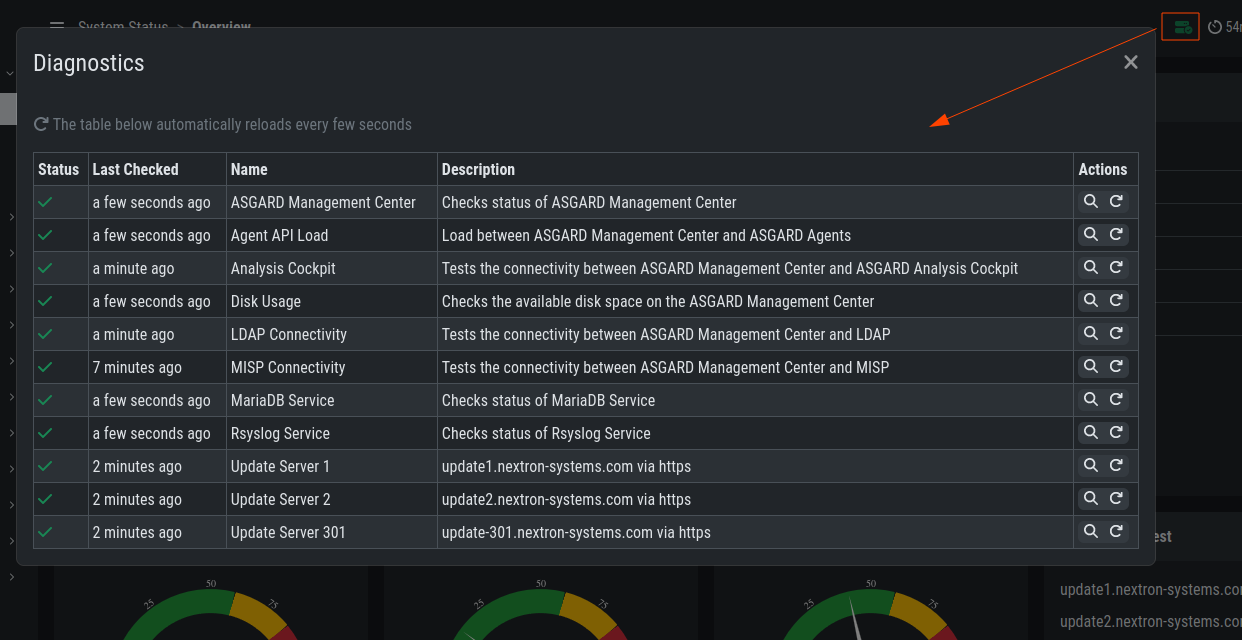
Overview Over Periodic Diagnostic Checks
The indicator in the upper-right corner shows whether any checks failed by displaying a warning or error icon (yellow or red). Click the icon to view the diagnostics page as a pop-up.
3.1.3. Logs
The logs section shows the latest and most relevant logs.
Complete logs can be found at /var/log/asgard-management-center/log.
You can also download the selected log type directly.
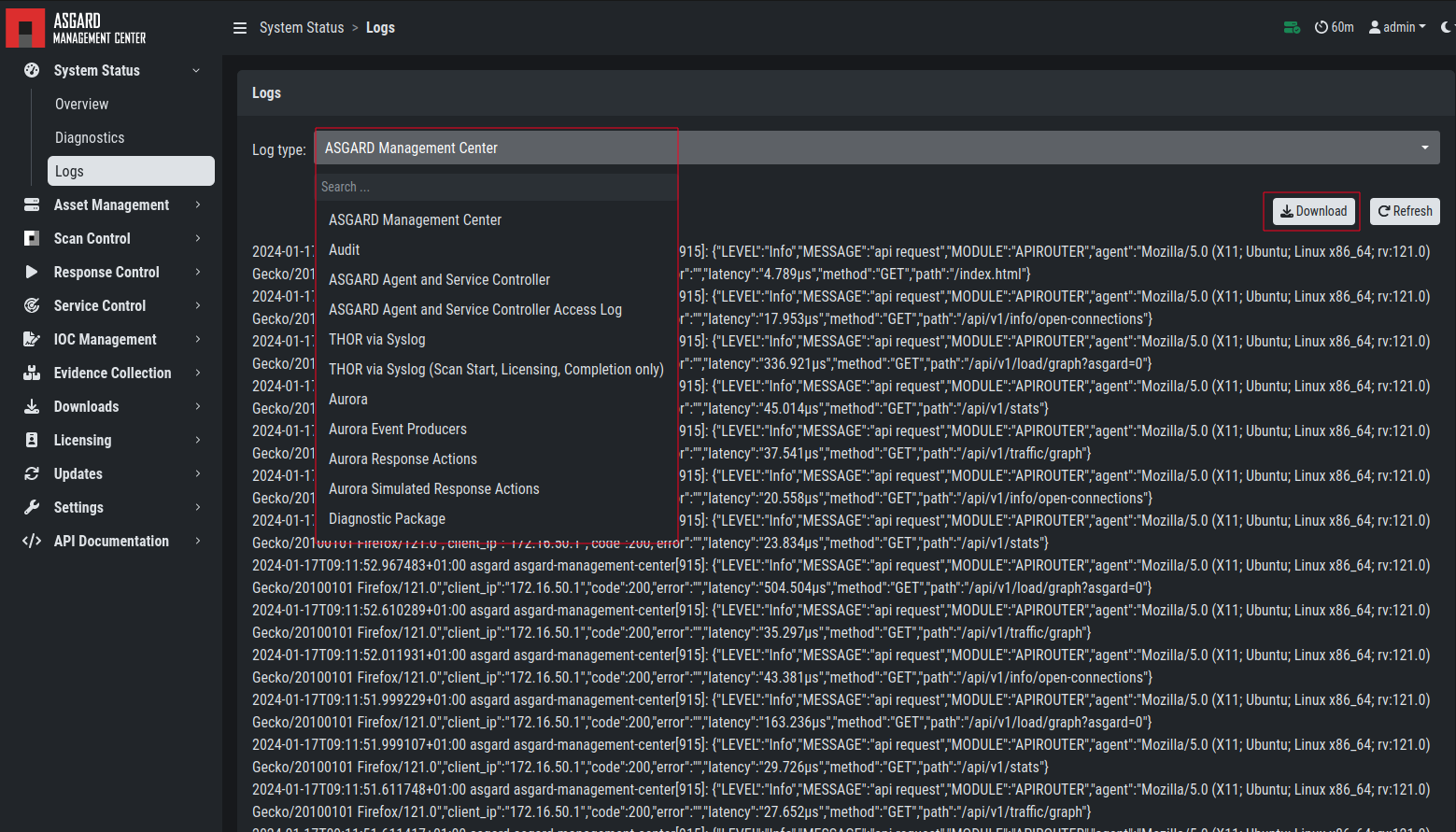
Logs Section
Available logs and their contents:
Log Type |
Explanation |
|---|---|
ASGARD Management Center |
Overall status of the Management Center, general errors and warnings |
Audit |
User login and logout events and changes made in the UI |
ASGARD Agent |
Status of the agents deployed on assets |
ASGARD Agent Access Log |
Logs of agents communicating with the Management Center |
THOR via Syslog |
Received syslog events of THOR scans. Partial results if a scan did not complete |
THOR via Syslog (Scan Start, Licensing, Completion only) |
As the name suggests, only those three event types |
Aurora |
All Aurora events |
Aurora Event Producers |
The top 10 event producing processes per endpoint |
Aurora Response Actions |
Only response action events of Aurora |
Aurora Simulated Response Actions |
Only simulated response action events of Aurora |
Diagnostic Pack |
Button for generating and downloading a diagnostic pack that support may request |
Backup & Restore |
Logs related to Backup & Restore activities |
Thunderstorm |
Full log output of the Thunderstorm service, including matches |