3.9. Syslog Forwarding
Hint
This chapter is optional.
To configure real-time syslog forwarding of THOR logs, set the --syslog
flag during scans. You have multiple options for where to send the logs.
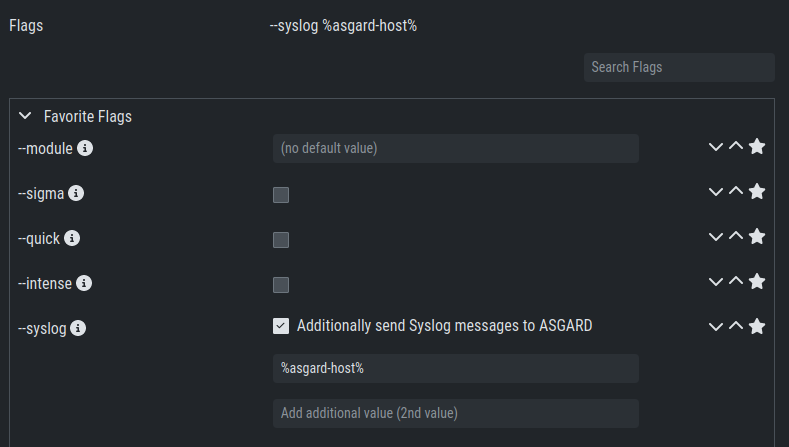
The --syslog value consists of the following arguments. The fields must
be in the correct order. Values are separated with a colon (:).
Pos. |
Field |
Description |
Possible Values |
|---|---|---|---|
1 |
Server |
The receiving server. |
FQDN or IP of remote host |
2 |
Port |
optional - the listening port on the remote system, default is |
1 - 65535 |
3 |
Format |
optional - the log format, default is |
- DEFAULT [1] - CEF - JSON - SYSLOGJSON - SYSLOGKV |
4 |
Socket |
optional - the socket type, default is |
- UDP - TCP - TCPTLS |
Hint
The syslog listener on the Management Center is running on port UDP/514.
Examples:
cribl.local:6514172.16.20.10:514:SYSLOGKV:TCPrsyslog-forwarder.dom.int:514:JSON:TCParcsight.dom.int:514:CEF:UDP
If you choose to use the --syslog flag, please make sure that the
necessary ports are allowed in your network or firewall. If you decide
to forward your logs via ASGARD to a SIEM, see
Rsyslog Forwarding.
Note
If Syslog Forwarding is selected for a new THOR scan, the default
target will be set to %asgard-host%, which is your Management
Center. Syslog Forwarding is optional and you do not lose any
functionality if you are not using it (in most cases). If you
want to forward logs in real time from your Management Center to
a SIEM, you must enable Syslog Forwarding.
See Rsyslog Forwarding for more information.