5.1. Backup & Restore
You can schedule, create, and restore backups of your ASGARD Management Center
from the Settings > Backup & Restore section.
If you have older backups that were created via SSH on the system, you can upload them here as well.

Backup & Restore
The backup contains everything required to restore a freshly installed Management
Center to the point when the backup was created. Scan and Playbook results are
not included in these backups. If you need to store all
Scan Logs on a separate server, you can transfer them with
built-in tools, such as rsync, to a remote system.
Backups are located at /var/lib/asgard-management-center/backups on the file system.
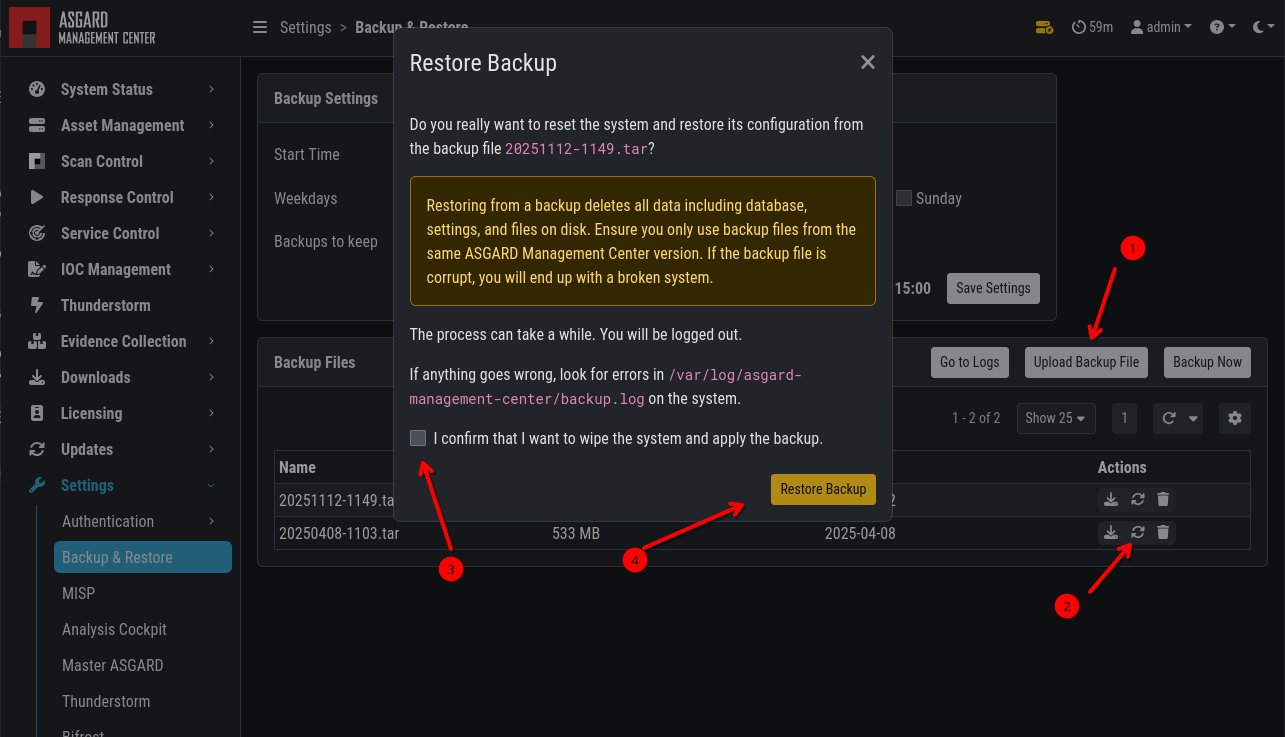
To restore a backup, upload the .tar file in the Backup & Restore
section of your Management Center and click the restore button.
Backup & Restore