6.2. Creating Custom Agent Installers
ASGARD supports custom agent installers. You can configure custom installers so agents appear with a preset label or use a preset proxy configuration.
Go to Downloads > Agent Installers > Add Agent Installer.
Edit the properties of the desired installer and generate the installer
by clicking Add Agent Installers. The installers are available at the
downloads page next to the default installers. Use a unique prefix or suffix
to make each custom installer easy to identify.
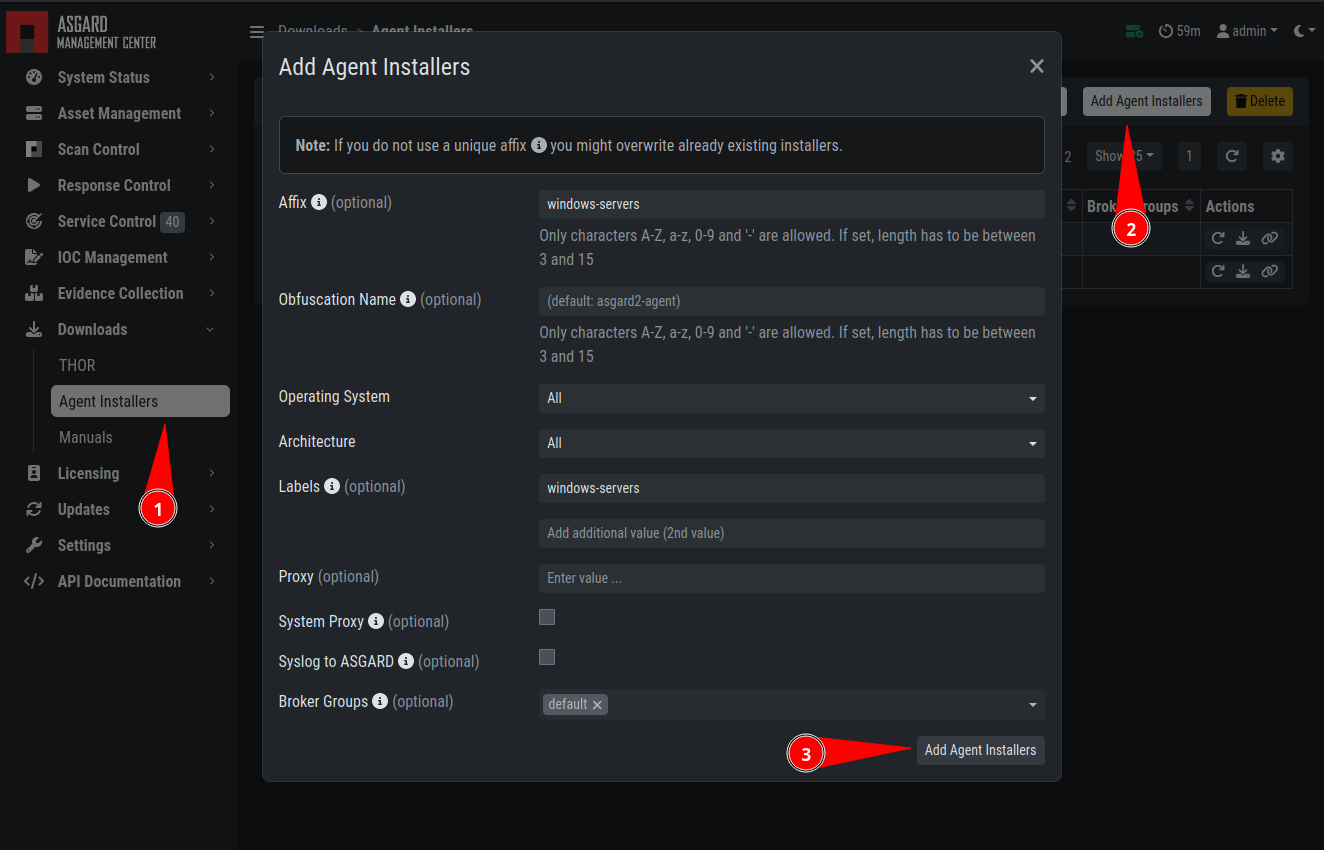
Custom Agent Installer from the WebUI
Note
If a new version of the agent installer is available, ASGARD shows a notice
that agent installers need repacking. Click Repack Outdated Agent
Installers and wait for the process to finish. This ensures that newly
downloaded installers use the newest version.